

Slides
Presentations: slides, editorial components, sections and tables.
Slides
A short deck of segments with slide templates, steps that stop, speaker notes, transitions and a looping stop.
gaanim examples/slides/slides.pyCode · 123 lines
"""Slides: a short deck of segments with templates, steps, notes and transitions.

Each scene.segment() is a slide: template= lays out its slots, notes= are
the speaker notes Presenter View shows, and a transition leads into it. Each
scene.stop() is a step where a presentation waits for the speaker; exports
and previews play straight through. Every slide shows the code that makes it.
"""

import math
import os

from gaanim import Scene, Transition, comparison, credits, lecture, minimal, title_slide

scene = Scene()
S = scene.slides
L = scene.layout
accent = scene.canvas.color("accent")
chart = scene.canvas.color("chart")
rule = scene.canvas.color("rule")
seeks = []


def code(*lines):
    """The code of a slide, one string per line."""
    return scene.text("\n".join(lines), role="code")


def heading(text, size=None):
    return scene.text(text, role="title", size=size)


# title_slide centers a title, a subtitle and a footer. thumbnail() picks the
# frame a .gaanim file shows as its cover, and stop() waits for the speaker.
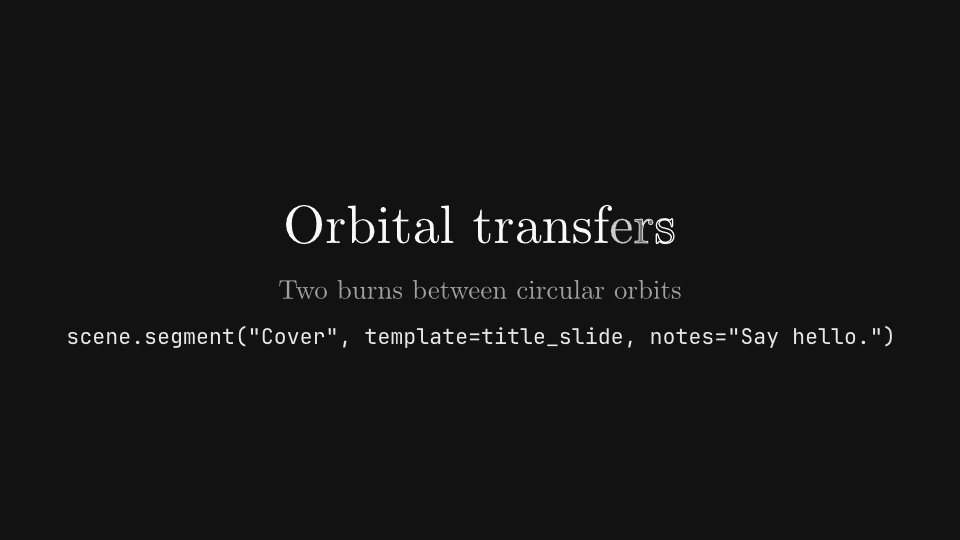
cover = scene.segment("Cover", template=title_slide, notes="Say hello.")
title = heading("Orbital transfers", size=0.9)
subtitle = scene.text("Two burns between circular orbits", role="subtitle", size=0.45)
cover.bind(title=title, subtitle=subtitle,
           footer=code('scene.segment("Cover", template=title_slide, notes="Say hello.")'))
scene.play([title.animate.write().duration(0.8), subtitle.animate.fade_in().duration(0.6)])
scene.thumbnail()
seeks.append(scene.cursor - 0.1)
scene.stop("cover")

# lecture stacks a title, a body that takes the free space and a footer. A
# stop after each item makes one step per item while presenting.
plan_slide = scene.segment("Plan", Transition.slide(0.5, "left"), template=lecture, notes="One step per burn.")
plan = [scene.text(line, size=0.55) for line in (
    "1. Burn prograde in the low orbit",
    "2. Coast along half an ellipse",
    "3. Burn again to circularize",
)]
plan_slide.bind(
    title=heading("Three steps"),
    body=L.column(*plan, gap="48px", justify="center"),
    footer=code('scene.segment("Plan", Transition.slide(0.5, "left"),',
                '              template=lecture, notes="One step per burn.")',
                "for item in plan:",
                "    scene.play(item.animate.fade_in())",
                "    scene.stop()"),
)
seeks.append(scene.cursor + 0.25)
for index, item in enumerate(plan):
    scene.play(item.animate.fade_in().duration(0.4))
    scene.stop(f"burn {index + 1}")
seeks.append(scene.cursor - 0.05)

# comparison puts two items side by side, each growing to fill its half.
compare = scene.segment("Compare", Transition.push(0.6, "up"), template=comparison, notes="Cost against time.")
compare.bind(
    title=heading("Hohmann against bi-elliptic"),
    left=S.stat_card("3.9 km/s", "Hohmann transfer", delta="5 hours", width=4, variant="accent"),
    right=S.stat_card("3.8 km/s", "Bi-elliptic transfer", delta="40 hours", width=4, variant="success"),
    footer=code('scene.segment("Compare", Transition.push(0.6, "up"),',
                "              template=comparison)"),
)
scene.wait(1.2)
# Mid-push and settled.
seeks.extend([scene.cursor - 0.9, scene.cursor - 0.1])
scene.stop("compare")

# minimal fits one item in the frame. stop(loop=...) plays an animation that
# repeats while a presentation rests on the step; it should end where it
# starts.
orbit = scene.segment("Orbit", Transition.cross_fade(0.4), template=minimal, notes="Let it circle.")
planet = scene.geometry.circle(0.7).fill(chart)
low = scene.geometry.circle(1.4).no_fill().stroke(rule, 0.02)
high = scene.geometry.circle(2.6).no_fill().stroke(rule, 0.02)
transfer = scene.geometry.ellipse_arc(-0.6, 0, 2.0, 1.9, 0, math.pi).no_fill().stroke(accent, 0.03)
# The craft rides an invisible ring, so it turns about the planet.
craft = scene.geometry.group([scene.geometry.circle(1.4).no_fill().no_stroke(),
                              scene.geometry.dot(0.12).move_to(1.4, 0)])
orbit.bind(content=L.column(
    scene.geometry.group([planet, low, high, transfer, craft]),
    code('scene.segment("Orbit", Transition.cross_fade(0.4), template=minimal)',
         'scene.stop("orbit", loop=craft.animate.rotate_by(math.tau).duration(3))'),
    gap="48px", align="center",
))
scene.wait(0.5)
scene.stop("orbit", loop=craft.animate.rotate_by(math.tau).duration(3))
# Midway round and back at the start.
seeks.extend([scene.cursor - 1.5, scene.cursor - 0.05])

# credits centers a title over entries and a footer. bind() returns the
# template's root box, so the whole slide can be revealed piece by piece.
closing = scene.segment("Credits", Transition.cross_fade(0.4), template=credits, notes="Invite questions.")
root = closing.bind(
    title=heading("Thank you", size=0.9),
    entries=L.column("Animation · the team", "Orbits · public mission data", gap="24px", align="center",
                     font_size="48px"),
    footer=code('closing = scene.segment("Credits", Transition.cross_fade(0.4),',
                "                        template=credits)",
                "root = closing.bind(title=..., entries=..., footer=...)",
                "scene.play(root.reveal())"),
)
scene.play(root.reveal())
scene.wait(0.6)
seeks.extend([scene.cursor - 1.0, scene.cursor - 0.1])

if snapshots := os.environ.get("GAANIM_SNAPSHOTS"):
    scene.snapshots(snapshots, seeks)
else:
    scene.render()
Sections
Agendas in every layout and marker, progress rails in rows and columns with captions, and sections of slides that move them.
gaanim examples/slides/sections.pyCode · 255 lines
"""Sections: an agenda, a progress rail and sections of slides that move them.

scene.sections builds navigation for a talk split into sections: an agenda
whose entries are done, current or upcoming, and a progress rail that fills
as the talk moves on. Section and SectionStep open one segment per step and
report each step's progress. Each label is the code that builds or moves
what it describes; the last segments run a small talk with them.
"""

import os

from gaanim import Easing, Scene, Section, SectionStep, TextStyle, Transition, Zones, stagger

scene = Scene()
L = scene.layout
accent = scene.canvas.color("accent")
foreground = scene.canvas.color("foreground")
header = scene.canvas.color("header")
muted = scene.canvas.color("muted")
rule = scene.canvas.color("rule")
success = scene.canvas.color("success")
seeks = []

# A section is a Section, a key used as its own title, or a (key, title) pair.
SECTIONS = [("context", "Context"), ("method", "Method"), ("results", "Results"), ("outlook", "Outlook")]
# Agendas are shown at ZOOM times their size.
ZOOM = 1.4


def code(label):
    return scene.text(label, role="code")


def show(*objects):
    """Fade the objects in one after another and note a seek once they are in."""
    scene.play(stagger(*[item.animate.fade_in().duration(0.4) for item in objects], each=0.06))
    scene.wait(0.3)
    seeks.append(scene.cursor - 0.1)


def steps(zone, changes):
    """For each (label, change): show the label in ``zone``, then play the change."""
    caption = None
    for label, change in changes:
        line = code(label).place(zone).hidden()
        fades = [line.animate.fade_in().duration(0.3)]
        if caption is not None:
            fades.append(caption.animate.fade_out().duration(0.3))
        scene.play(fades)
        start = scene.cursor
        scene.play(change(), duration=0.8)
        # Midway and settled.
        seeks.extend([start + 0.4, scene.cursor + 0.3])
        scene.wait(0.4)
        caption = line


def labelled(zone, label, drawable, anchor="left", top="72px"):
    """The code at the top of ``zone`` and the drawable under it."""
    head, rest = zone.split(Zones.rows([top, "1fr"]))
    return [code(label).place(head, anchor=anchor), drawable.place(rest, anchor=anchor)]


def bar(scene):
    """A marker: a short accent bar."""
    return scene.geometry.rounded_rect(0.06, 0.36, 0.03).fill(accent)


def numbered(scene, entry, state):
    """An agenda item: the entry's number, then its title, in the state's color."""
    color = {"done": muted, "current": accent, "upcoming": rule}[state]
    return L.row(f"{entry.index + 1:02d}", entry.title, gap="16px", color=color)


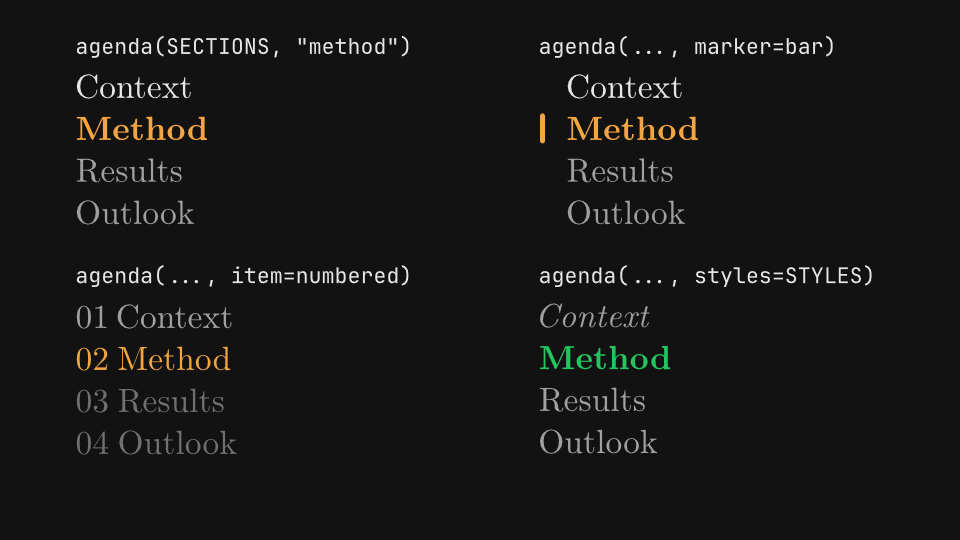
# An agenda lists the sections; current= marks one, the ones before it are
# done and the rest upcoming. marker= builds a drawable that sits before the
# current entry, item= builds each entry in each state, and styles= restyles
# the default text per state.
scene.segment("agendas")
page = L.zones(Zones.rows(["1fr", "96px"], padding="page_padding"))
cells = page[0].split(Zones.grid(rows=2, columns=2, gap="48px"))
STYLES = {"current": TextStyle(color=success, weight=800), "done": TextStyle(color=muted, italic=True)}
agendas = [
    ('agenda(SECTIONS, "method")', scene.sections.agenda(SECTIONS, "method")),
    ("agenda(..., marker=bar)", scene.sections.agenda(SECTIONS, "method", marker=bar)),
    ("agenda(..., item=numbered)", scene.sections.agenda(SECTIONS, "method", item=numbered)),
    ("agenda(..., styles=STYLES)", scene.sections.agenda(SECTIONS, "method", styles=STYLES)),
]
shown = []
for cell, (label, agenda) in zip(cells, agendas):
    shown += labelled(cell.inset((0, "96px")), label, agenda.root.scale_by(ZOOM))
show(*shown)
# animate.advance() and animate.focus() cross-fade the entries into their new
# states and slide the marker; focus(None) leaves every entry upcoming.
steps(page[1], [
    ("agenda.animate.advance()", lambda: [agenda.animate.advance() for _, agenda in agendas]),
    ('agenda.animate.focus("context")', lambda: [agenda.animate.focus("context") for _, agenda in agendas]),
    ("agenda.animate.focus(None)", lambda: [agenda.animate.focus(None) for _, agenda in agendas]),
])

# direction="row" lines the entries up; pitch= is the distance between their
# left edges, and marker_gap= the marker's distance before the current one.
scene.segment("agenda_row")
page = L.zones(Zones.rows(["1fr", "1fr", "96px"], padding="page_padding"))


def dot(scene):
    """A marker: an accent dot."""
    return scene.geometry.dot(0.06).fill(accent)


row = scene.sections.agenda(SECTIONS, "context", direction="row", pitch=2.4, marker=dot, marker_gap=0.2)
show(*labelled(page[0], 'agenda(SECTIONS, "context", direction="row", pitch=2.4,\n'
                        "       marker=dot, marker_gap=0.2)", row.root.scale_by(ZOOM), anchor="center", top="120px"))
steps(page[2], [
    ('row.animate.focus("results", easing=Easing.SNAPPY)',
     lambda: row.animate.focus("results", easing=Easing.SNAPPY)),
    ("row.animate.advance(-2)", lambda: row.animate.advance(-2)),
])


def rails_segment(name, variants, changes):
    """A segment with one rail per (label, options) row, its code above it, then the changes.

    Each rail is ``scene.sections.progress_rail(SECTIONS, **options)``.
    """
    scene.segment(name)
    page = L.zones(Zones.rows(["1fr", "96px"], padding="page_padding"))
    shown, rails = [], []
    for zone, (label, options) in zip(page[0].split(Zones.rows(len(variants), gap="24px")), variants):
        rail = scene.sections.progress_rail(SECTIONS, **options)
        shown += labelled(zone, label, rail.root)
        rails.append(rail)
    show(*shown)
    steps(page[1], [(label, lambda change=change: [change(rail) for rail in rails]) for label, change in changes])


# A progress rail fills from 0 to 1 (value=). With sections it marks where
# each one starts; segmented=True gives each section its own track, and
# captions=True names them, colored by state. label= titles the rail.
# animate.to() fills it to a fraction, and animate.enter() makes a section
# current with nothing of it filled yet.
rails_segment("rails", [
    ("progress_rail(SECTIONS, value=0.4)", dict(value=0.4)),
    ("progress_rail(SECTIONS, segmented=True, captions=True, value=0.4)",
     dict(segmented=True, captions=True, value=0.4)),
    ('progress_rail(SECTIONS, thickness=0.2, label="Progress", value=0.4)',
     dict(thickness=0.2, label="Progress", value=0.4)),
    ("progress_rail(SECTIONS, fill_color=success, mark_color=foreground)",
     dict(fill_color=success, mark_color=foreground)),
], [
    ("rail.animate.to(0.85)", lambda rail: rail.animate.to(0.85)),
    ('rail.animate.enter("method")', lambda rail: rail.animate.enter("method")),
])


# track=, mark= and caption= build the rail's parts; every track is also the
# mask of its fill. gap= separates the tracks of a segmented rail.
def square(scene, width, height):
    return scene.geometry.rect(width, height).fill(header).stroke(rule, 0.01)


def tick(scene, entry):
    return scene.geometry.line(0, -0.18, 0, 0.18).stroke(foreground, 0.03)


def upper(scene, entry):
    return scene.text(entry.title.upper(), size=0.22, weight=700)


rails_segment("rail_parts", [
    ("progress_rail(SECTIONS, thickness=0.24, track=square, value=0.6)",
     dict(thickness=0.24, track=square, value=0.6)),
    ("progress_rail(SECTIONS, mark=tick, value=0.6)", dict(mark=tick, value=0.6)),
    ("progress_rail(SECTIONS, captions=True, caption=upper, value=0.6)", dict(captions=True, caption=upper, value=0.6)),
    ("progress_rail(SECTIONS, segmented=True, gap=0.5, value=0.6)", dict(segmented=True, gap=0.5, value=0.6)),
], [("rail.animate.to(1.0)", lambda rail: rail.animate.to(1.0))])

# orientation="vertical" stands the rail up and fills it upward; captions sit
# to the right of each section, in caption_style= and caption_colors=.
scene.segment("vertical_rail")
page = L.zones(Zones.rows(["180px", "1fr", "96px"], padding="page_padding"))
CAPTION, COLORS = TextStyle(size=0.36), {"done": foreground}
side = scene.sections.progress_rail(SECTIONS, orientation="vertical", length=5, captions=True, caption_style=CAPTION,
                                    caption_colors=COLORS, thickness=0.16, value=0.3)
show(code('progress_rail(SECTIONS, orientation="vertical", length=5,\n'
          "              captions=True, caption_style=CAPTION,\n"
          "              caption_colors=COLORS, thickness=0.16, value=0.3)").place(page[0]),
     side.root.place(page[1]))
steps(page[2], [("rail.animate.to(0.8)", lambda: side.animate.to(0.8))])


# A Section groups the steps of one part of the talk. build() opens one
# segment per SectionStep, with its transition and notes, calls on_enter with
# the step's SectionProgress and then the step's own build function.
def content(scene):
    scene.wait(0.6)


fade = Transition.cross_fade(0.3)
TALK = [
    Section("context", [SectionStep(name="Problem", build=content, transition=fade, notes="Why it matters.")],
            title="Context"),
    Section("method", [SectionStep(name="Model", build=content, transition=fade),
                       SectionStep(name="Data", build=content, transition=fade, notes="Where the data comes from.")],
            title="Method"),
    Section("results", [SectionStep(name="Findings", build=content, transition=fade)], title="Results"),
]

# A rail pinned to the screen with hud() and kept by persist() stays on
# every segment of the talk.
scene.segment("talk", fade)
frame = L.zones(Zones.rows(["1fr", "120px"], padding="page_padding"))
talk_rail = scene.sections.progress_rail(TALK, segmented=True, captions=True, length=frame[1].width)
talk_rail.root.place(frame[1]).hud()
scene.persist(talk_rail.root)
scene.play(talk_rail.root.animate.fade_in().duration(0.4))


def readout(scene, progress):
    """Each step shows its SectionProgress, then fills the rail to it."""
    lines = [
        ("progress.key", f'"{progress.key}"'),
        ("progress.step.name", f'"{progress.step.name}"'),
        ("progress.index, progress.total", f"{progress.index}, {progress.total}"),
        ("progress.fraction", f"{progress.fraction:.2f}"),
        ("rail.fraction(progress)", f"{talk_rail.fraction(progress):.2f}"),
    ]
    grid = frame[0].split(Zones.grid(rows=len(lines), columns=2, column_gap="48px", padding=("120px", 0)))
    shown = []
    for index, (expression, value) in enumerate(lines):
        shown += [code(expression).place(grid[2 * index], anchor="right"),
                  code(value).fill(accent).place(grid[2 * index + 1], anchor="left")]
    scene.play([stagger(*[item.animate.fade_in().duration(0.3) for item in shown], each=0.04),
                talk_rail.animate.to(progress)], duration=0.6)
    seeks.append(scene.cursor + 0.4)


previous = None
for section in TALK:
    # Each section opens on the agenda, whose marker moves on to it.
    scene.segment(f"agenda · {section.title}", fade)
    agenda = scene.sections.agenda(TALK, previous, marker=bar, item=numbered)
    agenda.root.scale_by(ZOOM).place(frame[0])
    scene.play([agenda.animate.focus(section), talk_rail.animate.enter(section)], duration=0.6)
    scene.wait(0.4)
    seeks.append(scene.cursor - 0.1)
    section.build(scene, on_enter=readout)
    previous = section

if snapshots := os.environ.get("GAANIM_SNAPSHOTS"):
    scene.snapshots(snapshots, seeks)
else:
    scene.render()
Editorial titles
Title cards, section headers, banners and lower thirds with their alignments, widths, variants and appearances.
gaanim examples/slides/editorial_titles.pyCode · 161 lines
"""Editorial titles: title cards, section headers, banners and lower thirds from scene.slides.

Title cards open a talk, section headers start a part of it, and banners and
lower thirds anchor themselves to the edges of the safe area. Each component
measures its own text; each label is the code that builds the component
under or beside it.
"""

import os

from gaanim import Scene, Zones, stagger

scene = Scene()
S = scene.slides
accent = scene.canvas.color("accent")
chart = scene.canvas.color("chart")
dark = scene.canvas.color("background")
muted = scene.canvas.color("muted")
success = scene.canvas.color("success")
warning = scene.canvas.color("warning")
seeks = []

TITLE, SUBTITLE = "Vector motion", "A short explanation"


def code(label):
    return scene.text(label, role="code")


def show(*objects, hold=1.0):
    """Fade the objects in one after another, hold, and note the seeks."""
    start = scene.cursor
    scene.play(stagger(*[item.animate.fade_in().duration(0.4) for item in objects], each=0.06))
    scene.wait(hold)
    # Mid-entrance and settled.
    seeks.extend([start + 0.3, scene.cursor - 0.1])


def labelled(zone, label, component, zoom=1.0):
    """The code at the top of ``zone`` and the component, ``zoom`` times its size, centered under it."""
    top, rest = zone.split(Zones.rows(["64px", "1fr"]))
    return [code(label).place(top), component.scale_by(zoom).place(rest)]


def column(variants, zoom=1.0):
    """One (label, component) pair per row, the label above its component."""
    rows = scene.layout.zones(Zones.rows(len(variants), gap="24px", padding="page_padding"))
    shown = []
    for zone, (label, component) in zip(rows, variants):
        shown += labelled(zone, label, component, zoom)
    show(*shown)


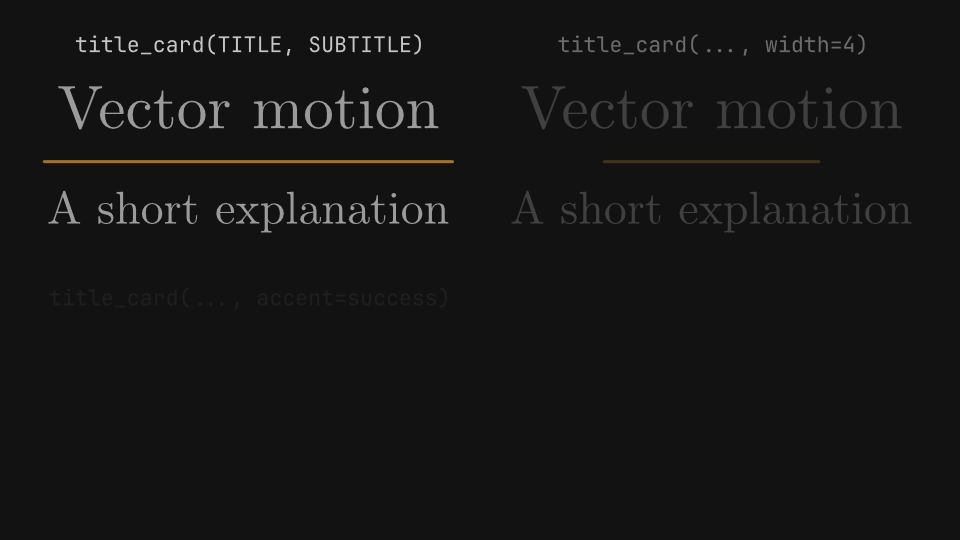
# A title card centers a title over an accent rule (width= sets the rule's
# length) and an optional subtitle; color= and accent= replace the theme's
# foreground and accent. Title cards are shown at 1.6 times their size.
scene.segment("title_cards")
cells = scene.layout.zones(Zones.grid(rows=2, columns=2, gap="48px", padding="page_padding"))
show(
    *labelled(cells[0], "title_card(TITLE, SUBTITLE)", S.title_card(TITLE, SUBTITLE), zoom=1.6),
    *labelled(cells[1], "title_card(..., width=4)", S.title_card(TITLE, SUBTITLE, width=4), zoom=1.6),
    *labelled(cells[2], "title_card(..., accent=success)", S.title_card(TITLE, SUBTITLE, accent=success), zoom=1.6),
    *labelled(cells[3], "title_card(..., color=muted)", S.title_card(TITLE, SUBTITLE, color=muted), zoom=1.6),
)

# A section header stacks an optional kicker, the title and an optional
# subtitle on a panel; rule=True underlines them. Headers are shown at 1.2
# times their size.
HEADER = dict(kicker="02", subtitle="How we measured")
scene.segment("section_headers")
column([
    ('section_header("Method")', S.section_header("Method")),
    ('section_header("Method", kicker="02", subtitle="How we measured")',
     S.section_header("Method", **HEADER)),
    ("section_header(..., rule=True)", S.section_header("Method", **HEADER, rule=True)),
], zoom=1.2)

# align= aligns every slot, and width=, padding=, gap= and radius= size the
# panel.
scene.segment("header_layout")
column([
    ('section_header(..., align="center")', S.section_header("Method", **HEADER, align="center")),
    ('section_header(..., align="right")', S.section_header("Method", **HEADER, align="right")),
    ("section_header(..., width=5, padding=(0.5, 0.3), gap=0.2, radius=0.4)",
     S.section_header("Method", **HEADER, width=5, padding=(0.5, 0.3), gap=0.2, radius=0.4)),
], zoom=1.2)

# Like every editorial component, headers take a variant and an
# appearance, or explicit colors.
scene.segment("header_styles")
column([
    ('section_header(..., variant="accent")', S.section_header("Method", **HEADER, variant="accent")),
    ('section_header(..., variant="success", appearance="solid")',
     S.section_header("Method", **HEADER, variant="success", appearance="solid")),
    ("section_header(..., color=accent, background=dark, border=chart)",
     S.section_header("Method", **HEADER, color=accent, background=dark, border=chart)),
], zoom=1.2)


def edges(top, bottom):
    """A banner at each safe edge, each with its code on the side facing the middle."""
    (top_label, top_banner), (bottom_label, bottom_banner) = top, bottom
    frame = scene.layout.frame
    below = frame.inset((frame.top - top_banner.bounds().bottom + 0.3, 0, 0, 0))
    above = frame.inset((0, 0, bottom_banner.bounds().top - frame.bottom + 0.3, 0))
    show(top_banner, code(top_label).place(below, anchor="top"),
         bottom_banner, code(bottom_label).place(above, anchor="bottom"))


# A banner anchors itself to the top or bottom of the safe area; without
# width= it spans it, less margin= on each side, and its height follows its
# text.
scene.segment("banners")
edges(
    ("banner(TITLE, SUBTITLE)", S.banner(TITLE, SUBTITLE)),
    ('banner(TITLE, position="bottom", variant="success", appearance="solid")',
     S.banner(TITLE, position="bottom", variant="success", appearance="solid")),
)

scene.segment("banner_sizes")
edges(
    ('banner(TITLE, width=8, padding=(0.6, 0.3), variant="accent")',
     S.banner(TITLE, width=8, padding=(0.6, 0.3), variant="accent")),
    ('banner(TITLE, SUBTITLE, position="bottom", margin=1.5, radius=0)',
     S.banner(TITLE, SUBTITLE, position="bottom", margin=1.5, radius=0)),
)


def corners(left, right):
    """A lower third in each bottom corner, with the code of each above them on its side."""
    (left_label, left_third), (right_label, right_third) = left, right
    frame = scene.layout.frame
    a, b = left_third.bounds(), right_third.bounds()
    # Two lines above the taller lower third, from the outer edge of one to the other's.
    band = frame.inset((0, frame.right - b.right, max(a.top, b.top) - frame.bottom + 0.3, a.left - frame.left))
    lines = band.split(Zones.rows(["1fr", "72px", "72px"]))
    show(left_third, code(left_label).place(lines[2], anchor="left"),
         right_third, code(right_label).place(lines[1], anchor="right"))


# A lower third anchors itself to a bottom corner (side=) with an optional
# kicker over its title and subtitle.
NAME, ROLE = "Ada Lovelace", "Mathematician and writer"
scene.segment("lower_thirds")
corners(
    ('lower_third(NAME, ROLE, kicker="SPEAKER")', S.lower_third(NAME, ROLE, kicker="SPEAKER")),
    ('lower_third(NAME, side="right", variant="accent")', S.lower_third(NAME, side="right", variant="accent")),
)

scene.segment("lower_third_styles")
corners(
    ('lower_third(NAME, ROLE, width=4, margin=0.8)', S.lower_third(NAME, ROLE, width=4, margin=0.8)),
    ('lower_third(NAME, side="right", variant="accent", appearance="solid")',
     S.lower_third(NAME, side="right", variant="accent", appearance="solid")),
)

if snapshots := os.environ.get("GAANIM_SNAPSHOTS"):
    scene.snapshots(snapshots, seeks)
else:
    scene.render()
Editorial components
Badges and chips in every appearance and variant, cards, bullet lists and callouts that point at objects.
gaanim examples/slides/editorial_components.pyCode · 205 lines
"""Editorial components: badges, chips, cards, bullet lists and callouts from scene.slides.

Each component measures its own text and returns one group that is placed and
animated like any drawable. They share five semantic variants and three
appearances, taken from the theme. Each label is the code that builds the
component beside it.
"""

import os

from gaanim import Easing, Scene, TextStyle, Zones, stagger

scene = Scene()
S = scene.slides
accent = scene.canvas.color("accent")
chart = scene.canvas.color("chart")
dark = scene.canvas.color("background")
foreground = scene.canvas.color("foreground")
muted = scene.canvas.color("muted")
rule = scene.canvas.color("rule")
seeks = []

# Badges and chips are shown at ZOOM times their size, and cards at
# CARD_ZOOM times.
ZOOM = 1.6
CARD_ZOOM = 1.2
VARIANTS = ["neutral", "accent", "success", "warning", "danger"]
APPEARANCES = ["soft", "solid", "outline"]


def code(label):
    return scene.text(label, role="code")


def show(*objects, hold=1.0):
    """Fade the objects in one after another, hold, and note the seeks."""
    start = scene.cursor
    scene.play(stagger(*[item.animate.fade_in().duration(0.4) for item in objects], each=0.04))
    scene.wait(hold)
    # Mid-entrance and settled.
    seeks.extend([start + 0.3, scene.cursor - 0.1])


def matrix(corner, rows, columns, build):
    """One component per (row, column) cell, under a header of column labels.

    ``rows`` and ``columns`` are (label, value) pairs; ``corner`` names the
    keyword the column labels are values of. ``build(row, column)`` makes
    the component of each cell.
    """
    tracks = ["4fr"] + ["3fr"] * len(columns)
    grid = scene.layout.zones(
        Zones.grid(rows=len(rows) + 1, columns=tracks, column_gap="48px", padding="page_padding")
    )
    shown = [code(corner).place(grid[0], anchor="right")]
    shown += [code(label).place(grid[index]) for index, (label, _) in enumerate(columns, start=1)]
    for row_index, (label, row) in enumerate(rows, start=1):
        first = row_index * len(tracks)
        shown.append(code(label).place(grid[first], anchor="right"))
        for index, (_, column) in enumerate(columns, start=1):
            shown.append(build(row, column).scale_by(ZOOM).place(grid[first + index]))
    show(*shown)


def table(variants, split=("1fr", "1fr"), zoom=1.0):
    """One row per (label, component): the code on the left, the component on the right.

    The component is shown at ``zoom`` times its size.
    """
    grid = scene.layout.zones(
        Zones.grid(rows=len(variants), columns=list(split), column_gap="48px", padding="page_padding")
    )
    shown = []
    for index, (label, component) in enumerate(variants):
        shown += [code(label).place(grid[2 * index], anchor="right"),
                  component.scale_by(zoom).place(grid[2 * index + 1], anchor="left")]
    show(*shown)
    return grid


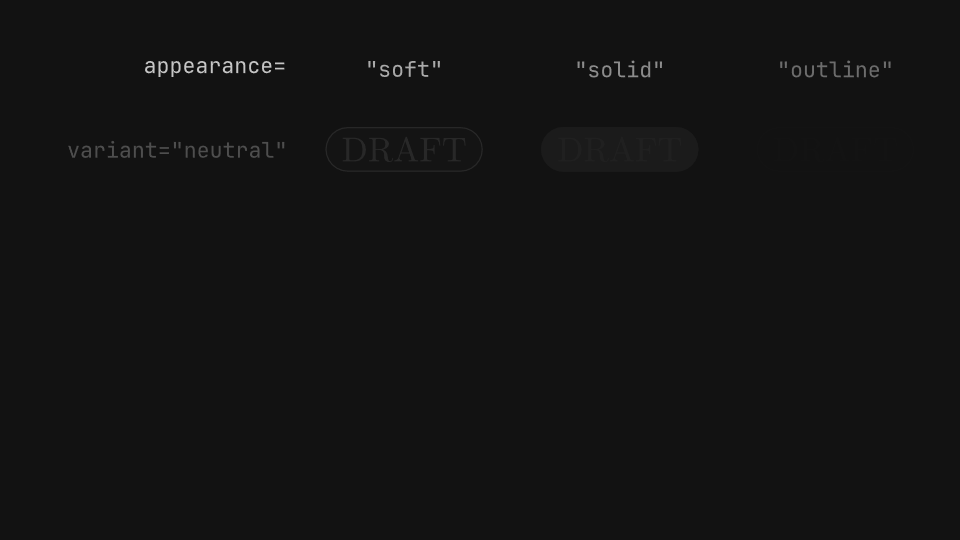
# Every component takes variant= (a semantic tone of the theme) and
# appearance= (a soft fill, a solid fill or only a border).
scene.segment("badges")
WORDS = {"neutral": "DRAFT", "accent": "NEW", "success": "PASSED", "warning": "REVIEW", "danger": "FAILED"}
matrix(
    "appearance=",
    [(f'variant="{variant}"', variant) for variant in VARIANTS],
    [(f'"{appearance}"', appearance) for appearance in APPEARANCES],
    lambda variant, appearance: S.badge(WORDS[variant], variant=variant, appearance=appearance),
)

# A chip is a compact badge with a dot of its variant's color; dot=False
# leaves it out.
scene.segment("chips")
STATES = {"neutral": "Idle", "accent": "Beta", "success": "Online", "warning": "Pending", "danger": "Offline"}
matrix(
    "appearance=",
    [(f'variant="{variant}"', variant) for variant in VARIANTS],
    [(f'"{appearance}"', {"appearance": appearance}) for appearance in APPEARANCES]
    + [("dot=False", {"dot": False})],
    lambda variant, options: S.chip(STATES[variant], variant=variant, **options),
)

# Badges fit their text: radius=None makes a pill, padding and min_width
# size the panel, and explicit colors replace the variant's.
scene.segment("badge_shapes")
table([
    ('badge("v2.4")', S.badge("v2.4")),
    ('badge("v2.4", radius=0.04)', S.badge("v2.4", radius=0.04)),
    ('badge("v2.4", padding=(0.5, 0.2))', S.badge("v2.4", padding=(0.5, 0.2))),
    ('badge("v2.4", min_width=2.5)', S.badge("v2.4", min_width=2.5)),
    ('badge("v2.4", color=dark, background=chart)', S.badge("v2.4", color=dark, background=chart)),
    ('badge("v2.4", border=foreground)', S.badge("v2.4", border=foreground)),
], split=("2fr", "1fr"), zoom=ZOOM)

# The label takes the theme's label role; font_size, weight, style and font
# change it, and markup=False keeps * and _ literal. Chips take the same
# options.
scene.segment("badge_text")
table([
    ('badge("v2.4", font_size=0.5)', S.badge("v2.4", font_size=0.5)),
    ('badge("v2.4", weight=800)', S.badge("v2.4", weight=800)),
    ('badge("v2.4", style=TextStyle(italic=True))', S.badge("v2.4", style=TextStyle(italic=True))),
    ('badge("v2.4", font="JetBrains Mono")', S.badge("v2.4", font="JetBrains Mono")),
    ('badge("_max_ speed")', S.badge("_max_ speed")),
    ('badge("_max_ speed", markup=False)', S.badge("_max_ speed", markup=False)),
], split=("2fr", "1fr"), zoom=ZOOM)

# A card stacks a title, a body that wraps to width= and an optional
# footer, each in its own text role; its height follows the text.
TITLE, BODY, FOOTER = "Result", "Converged in twelve steps.", "12 ms per step"
scene.segment("cards")
table([
    ("card(TITLE, BODY)", S.card(TITLE, BODY)),
    ('card(TITLE, BODY, FOOTER, variant="accent")', S.card(TITLE, BODY, FOOTER, variant="accent")),
    ("card(TITLE, BODY, width=3.2, radius=0)", S.card(TITLE, BODY, width=3.2, radius=0)),
], split=("9fr", "5.3fr"), zoom=CARD_ZOOM)

# A stat card shows a value with its label and an optional delta, both in
# the variant's tone.
scene.segment("stat_cards")
table([
    ('stat_card("98%", "Accuracy")', S.stat_card("98%", "Accuracy")),
    ('stat_card("98%", "Accuracy", delta="+4.2%")', S.stat_card("98%", "Accuracy", delta="+4.2%")),
    ('stat_card(..., variant="success", appearance="solid")',
     S.stat_card("98%", "Accuracy", delta="+4.2%", variant="success", appearance="solid")),
], split=("11.1fr", "3.5fr"), zoom=CARD_ZOOM)

# A quote card wraps the quotation in typographic quotes and sets the
# attribution apart on the right.
QUOTE = "Simplicity is prerequisite for reliability."
scene.segment("quote_cards")
table([
    ("quote_card(QUOTE)", S.quote_card(QUOTE)),
    ('quote_card(QUOTE, "Edsger W. Dijkstra")', S.quote_card(QUOTE, "Edsger W. Dijkstra")),
    ('quote_card(..., variant="warning")', S.quote_card(QUOTE, "Edsger W. Dijkstra", variant="warning")),
], split=("8fr", "6.4fr"))

# A bullet list is one object: gap spaces the items, and bullet_radius,
# bullet_color and color restyle the marks and the text.
ITEMS = ["Measure", "Model", "Verify"]
scene.segment("bullets")
table([
    ("bullets(ITEMS, width=4)", S.bullets(ITEMS, width=4)),
    ("bullets(ITEMS, width=4, gap=0.45)", S.bullets(ITEMS, width=4, gap=0.45)),
    ("bullets(ITEMS, width=4, bullet_radius=0.14)", S.bullets(ITEMS, width=4, bullet_radius=0.14)),
    ("bullets(..., bullet_color=chart, color=muted)",
     S.bullets(ITEMS, width=4, bullet_color=chart, color=muted)),
], split=("13fr", "7fr"))

# A callout is a card joined to its target by a line; it keeps its offset
# from the target as the target moves, and starts hidden until it fades in.
scene.segment("callouts")
CALLOUTS = [
    ('callout("Peak", dot)', {}),
    ('callout("Peak", dot, offset=(2.2, 0))', {"offset": (2.2, 0)}),
    ('callout("Peak", dot, width=1.6, height=0.9)', {"width": 1.6, "height": 0.9}),
    ("callout(..., background=accent, color=dark)", {"background": accent, "color": dark}),
]
grid = scene.layout.zones(
    Zones.grid(rows=len(CALLOUTS), columns=["2fr", "1fr"], column_gap="48px", padding="page_padding")
)
shown, moves, notes = [], [], []
for index, (label, options) in enumerate(CALLOUTS):
    lane = grid[2 * index + 1]
    # The dot runs low in its row, leaving room for a card above it.
    (start, y), (end, _) = lane.point("left"), lane.point("right")
    y -= 0.5
    track = scene.geometry.line(start, y, end, y).stroke(rule, 0.02)
    dot = scene.geometry.dot(0.12).move_to(start, y)
    notes.append(S.callout("Peak", dot, **options))
    shown += [code(label).place(grid[2 * index], anchor="right"), track, dot]
    moves.append(dot.animate.move_to(start + 1.6, y).duration(1.4).easing(Easing.SMOOTH))
start = scene.cursor
scene.play(stagger(*[item.animate.fade_in().duration(0.4) for item in shown], each=0.04))
scene.play([*moves, *[note.animate.fade_in().duration(0.4) for note in notes]])
scene.wait(0.6)
# Before the move, mid-move and settled.
seeks.extend([start + 0.6, scene.cursor - 1.2, scene.cursor - 0.1])

if snapshots := os.environ.get("GAANIM_SNAPSHOTS"):
    scene.snapshots(snapshots, seeks)
else:
    scene.render()
Tables
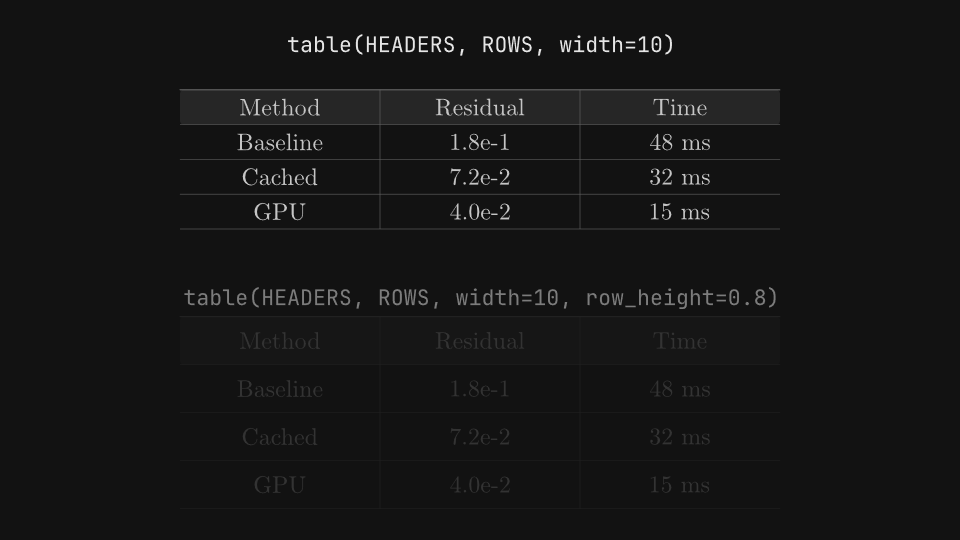
Slide tables with their widths, row heights and alignment, and data tables built from layout rows whose cells, rows and columns animate.
gaanim examples/slides/tables.pyCode · 181 lines
"""Tables on slides: scene.slides.table and data tables built from layout rows.

scene.slides.table draws a compact table in one call. A table built from a
column of grid rows keeps every row and cell as a box, so columns can be
aligned, and rows, columns and cells highlighted or revealed one at a time.
Each label is the code that builds or changes the table above it.
"""

import os

from gaanim import Scene, Text, Zones, stagger

scene = Scene()
S = scene.slides
L = scene.layout
accent = scene.canvas.color("accent")
chart = scene.canvas.color("chart")
dark = scene.canvas.color("background")
header = scene.canvas.color("header")
panel = scene.canvas.color("panel")
rule = scene.canvas.color("rule")
seeks = []

HEADERS = ["Method", "Residual", "Time"]
ROWS = [["Baseline", "1.8e-1", "48 ms"], ["Cached", "7.2e-2", "32 ms"], ["GPU", "4.0e-2", "15 ms"]]


def code(label):
    return scene.text(label, role="code")


def stacked(variants):
    """Each (label, table) in its own row of the page, the label above the table."""
    shown = []
    for zone, (label, table) in zip(L.zones(Zones.rows(len(variants), gap="48px", padding="page_padding")),
                                    variants):
        top, rest = zone.split(Zones.rows(["64px", "1fr"]))
        shown += [code(label).place(top), table.place(rest)]
    start = scene.cursor
    scene.play(stagger(*[item.animate.fade_in().duration(0.4) for item in shown], each=0.1))
    scene.wait(1.0)
    # Mid-entrance and settled.
    seeks.extend([start + 0.4, scene.cursor - 0.1])


# scene.slides.table takes the header and the rows as strings; columns share
# width= equally and every row is row_height= tall.
scene.segment("slide_table")
stacked([
    ("table(HEADERS, ROWS, width=10)", S.table(HEADERS, ROWS, width=10)),
    ("table(HEADERS, ROWS, width=10, row_height=0.8)", S.table(HEADERS, ROWS, width=10, row_height=0.8)),
])

# header_background=, rule_color= and color= replace the theme's header,
# rule and foreground colors.
scene.segment("slide_table_colors")
stacked([
    ("table(HEADERS, ROWS, width=10, header_background=rule)",
     S.table(HEADERS, ROWS, width=10, header_background=rule)),
    ("table(HEADERS, ROWS, width=10, rule_color=accent, color=chart)",
     S.table(HEADERS, ROWS, width=10, rule_color=accent, color=chart)),
])

# A data table is a column of rows, and each row a grid of cell boxes on the
# same column tracks. align= places a cell's content: text to the left,
# numbers to the right, a chip in the middle.
TRACKS = ["3fr", "2fr", "2fr", "2fr"]
ALIGN = ["start", "end", "end", "center"]
DATA = [
    ("Baseline", "0.180", "48 ms", ("Slow", "warning")),
    ("Cached", "0.072", "32 ms", ("Good", "accent")),
    ("GPU", "0.040", "15 ms", ("Best", "success")),
    ("Sparse", "0.410", "9 ms", ("Unstable", "danger")),
]
page = L.zones(Zones.rows(["64px", "1fr", "180px"], gap="16px", padding="page_padding"))


def data_table():
    """A data table as wide as the page, and its rows: the header first."""
    def row(values, background=None, weight=None):
        cells = [L.box(value, align=align, justify="center", padding=("0px", "24px"), font_size="52px",
                       weight=weight) for value, align in zip(values, ALIGN)]
        return L.grid(*cells, columns=TRACKS, width="fill", height="128px", radius="8px", background=background)

    rows = [row(["Method", "Residual", "Time", "Status"], background=header, weight=700)]
    for index, (name, residual, time, (status, variant)) in enumerate(DATA):
        chip = S.chip(status, variant=variant, font_size=0.4)
        rows.append(row([name, residual, time, chip], background=panel if index % 2 else None))
    table = L.column(*rows, width=page[1].width).place(page[1])
    return table, rows


scene.segment("alignment")
table, rows = data_table()
labels = page[0].split(Zones.columns(TRACKS))
SIDES = {"start": "left", "center": "center", "end": "right"}
shown = [code(f'align="{align}"').place(zone.inset((0, "24px")), anchor=SIDES[align])
         for zone, align in zip(labels, ALIGN)]
start = scene.cursor
scene.play(stagger(table.animate.fade_in().duration(0.5),
                   *[label.animate.fade_in().duration(0.4) for label in shown], each=0.1))
scene.wait(1.0)
seeks.extend([start + 0.4, scene.cursor - 0.1])


def steps(changes):
    """For each (label, change): show the label under the table, then make the change."""
    caption = None
    for label, change in changes:
        line = code(label).place(page[2]).hidden()
        fades = [line.animate.fade_in().duration(0.3)]
        if caption is not None:
            fades.append(caption.animate.fade_out().duration(0.3))
        scene.play(fades)
        start = scene.cursor
        change()
        # Midway and settled.
        seeks.extend([(start + scene.cursor) / 2, scene.cursor + 0.4])
        scene.wait(0.5)
        caption = line


# set() restyles a row or a cell; with duration= the change animates. The
# texts of a box are found with find_all() and animated like any text.
scene.segment("highlight_rows")
table, rows = data_table()
scene.play([table.animate.fade_in().duration(0.4)])


def highlight_row():
    rows[3].set(background=accent, duration=0.6, advance=False)
    texts = rows[3].find_all(type=Text)
    scene.play([t.animate.fill(dark) for t in texts])


steps([
    ("rows[3].set(background=accent, duration=0.6, advance=False)\n"
     "texts = rows[3].find_all(type=Text)\n"
     "scene.play([t.animate.fill(dark) for t in texts])", highlight_row),
    ('rows[4][1].set(border=accent, border_width="4px", duration=0.6)',
     lambda: rows[4][1].set(border=accent, border_width="4px", duration=0.6)),
])


# Each set() with duration= advances the cursor, so a loop of them runs one
# change after another, down a column.
def highlight_column():
    for row in rows:
        row[2].set(background=rule, duration=0.25)


scene.segment("highlight_column")
table, rows = data_table()
scene.play([table.animate.fade_in().duration(0.4)])
steps([("for row in rows: row[2].set(background=rule, duration=0.25)", highlight_column)])

# reveal() shows a box piece by piece: backgrounds fade in and texts rise.
scene.segment("reveal")
table, rows = data_table()
steps([("scene.play(table.reveal())", lambda: scene.play(table.reveal()))])


# Revealing one row after each stop builds the table a step at a time while
# presenting; elsewhere the stops do not pause.
def row_by_row():
    for index, row in enumerate(rows):
        scene.play(row.reveal())
        scene.stop(f"row {index}")


scene.segment("row_by_row")
table, rows = data_table()
steps([("for row in rows: scene.play(row.reveal()); scene.stop()", row_by_row)])

if snapshots := os.environ.get("GAANIM_SNAPSHOTS"):
    scene.snapshots(snapshots, seeks)
else:
    scene.render()
Branding
A deck theme derived from presentation, with a logo, footer and slide number placed on every slide but the cover.
gaanim examples/slides/branding.pyCode · 78 lines
"""Branding: a deck theme derived from "presentation" and a logo, footer and slide number on every slide.

A Theme derived from a built-in one replaces only the colors it names, and
every component, template and text role picks them up. scene.slides.brand()
draws the same logo, footer, rule and slide number on every slide except the
cover. The slides show the code that sets the brand up.
"""

import os

from gaanim import Anchor, Scene, Theme, Transition, comparison, lecture, title_slide

# The brand's colors, taken from its logo.
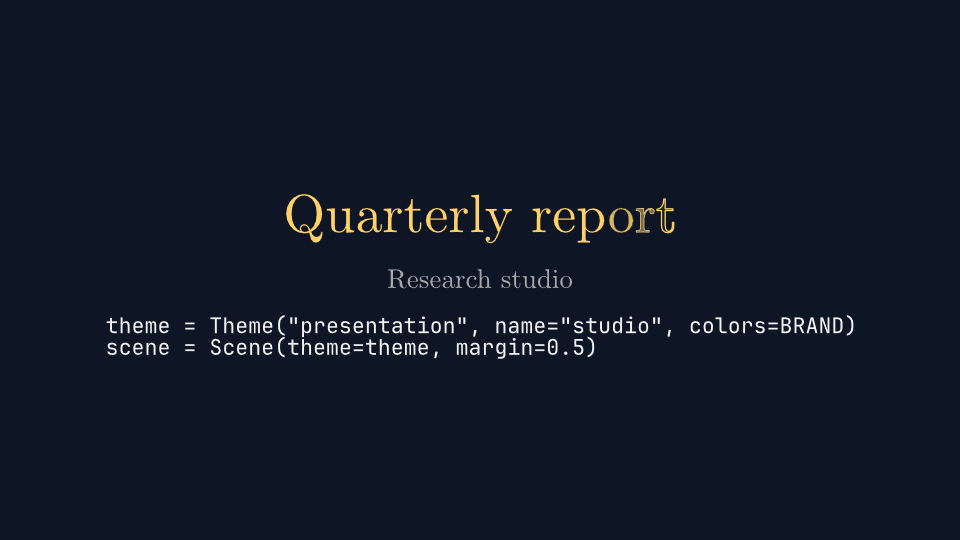
BRAND = {"accent": "#FFD166", "title": "#FFD166", "panel": "#17233D", "header": "#22345A",
         "background": "#0E1626", "rule": "#3A4A6B"}
# The margin keeps the brand's chrome off the edges of the frame.
theme = Theme("presentation", name="studio", colors=BRAND)
scene = Scene(theme=theme, margin=0.5)
S = scene.slides
L = scene.layout

# brand() is set once and applies to every segment: the logo in the top-right
# corner, the footer and its rule along the bottom, and the slide number,
# here on its own at the bottom right. show_on_cover=False leaves covers clean.
BRAND_CALL = """scene.slides.brand(
    logo="assets/brand.svg",
    footer="RESEARCH STUDIO · 2026",
    number_anchor=Anchor.BOTTOM_RIGHT,
    logo_scale=0.9,
)"""
scene.slides.brand(
    logo="assets/brand.svg",
    footer="RESEARCH STUDIO · 2026",
    number_anchor=Anchor.BOTTOM_RIGHT,
    logo_scale=0.9,
)
seeks = []


def code(*lines):
    return scene.text("\n".join(lines), role="code")


cover = scene.segment("Cover", template=title_slide)
title = scene.text("Quarterly report", role="title", size=0.9)
cover.bind(title=title, subtitle=scene.text("Research studio", role="subtitle", size=0.45),
           footer=code('theme = Theme("presentation", name="studio", colors=BRAND)',
                       "scene = Scene(theme=theme, margin=0.5)"))
scene.play([title.animate.write().duration(0.8)])
seeks.append(scene.cursor - 0.1)

identity = scene.segment("Identity", Transition.cross_fade(0.4), template=lecture)
identity.bind(title=scene.text("One brand on every slide", role="title"),
              body=scene.text.code(BRAND_CALL, language="python", width=11, height=4.4, font_size=0.48))
scene.wait(1.2)
seeks.extend([scene.cursor - 0.9, scene.cursor - 0.1])

# Components take the brand's colors through the theme roles.
results = scene.segment("Results", Transition.cross_fade(0.4), template=comparison)
results.bind(
    title=scene.text("Results", role="title"),
    left=S.stat_card("98%", "Accuracy", delta="+4.2%", width=4, variant="accent"),
    right=S.card("Next quarter", "Extend the study to three more sites.", width=4.6),
)
scene.wait(1.0)
seeks.append(scene.cursor - 0.1)

closing = scene.segment("Closing", Transition.cross_fade(0.4), template=title_slide)
closing.bind(title=scene.text("Thank you", role="title", size=0.9),
             footer=code("scene.slides.brand(..., show_on_cover=False)"))
scene.wait(1.0)
seeks.append(scene.cursor - 0.1)

if snapshots := os.environ.get("GAANIM_SNAPSHOTS"):
    scene.snapshots(snapshots, seeks)
else:
    scene.render()